
Self-Service Terminal Layout
Self-Service Terminal Layout and Category Mix Guide
How to fit unattended self-service terminals into a digital sports venue: starting from the principle that a terminal fills a gap rather than takes the lead, it covers how the PLAY / FOOD / RETAIL lines divide the work, site-selection priorities, matching categories to traffic structure, a revenue-per-square-metre framework, the two prerequisites of unattended operation (smooth payment and remote monitoring), the daily cleaning routine for food machines, loyalty integration with the venue management system, placement density, common reasons terminals lose money, and a phased rollout rhythm.
Most venue owners still read self-service terminals as “a few more claw machines”. Anyone who has actually run them knows the split: seventy percent of whether a terminal makes money comes from where it stands and what category sits inside it; only thirty percent comes from the machine. The same claw machine beside a queue and in a back corner can produce several times the revenue — that gap is not the machine, it is the layout.
This guide starts with the real role of a terminal: it does not pull traffic — that is the job of the digital sports equipment; its job is to turn waiting time, dead corners and exit circulation into revenue. From that position it works through the division of labour between the three product lines, site priorities, matching categories to traffic, revenue-per-square-metre calculations, the two prerequisites of unattended operation, daily cleaning for food machines, integration with the management system, placement density, and finally the common reasons terminals lose money and a phased rollout rhythm.

Start with positioning: terminals fill gaps, they are not the headline act
Before you place a single terminal, be clear about its role inside the venue. Digital sports equipment pulls traffic and creates dwell time — customers come for bowling, VR battles, the shooting simulator. Self-service terminals **fill gaps**: they convert the ten minutes spent in a queue, the idle time of a parent waiting for a player, and the few steps past the exit into small-ticket spending.
This positioning sets two rules. First, a terminal must never take floor area from a main attraction — trading a prime spot for a claw machine and cutting one competitive unit saves equipment money that will not cover the traffic you lose. Second, terminals should appear at the moment when customers have idle time and a small-spend mindset, not when they are absorbed in a game. Waiting areas, rest areas and entrances are the natural home of a terminal.
There is another role that gets overlooked: a terminal is a **low-decision entry point**. Playing a game of bowling means changing shoes, queueing and learning the controls; cranking a claw machine takes one scan. A new customer’s first payment at your venue very often happens at a terminal — which means the quality of that experience (does the code scan, is the machine stocked, does the change mechanism work) directly shapes their first impression of the whole venue.
- Terminal role: fill idle time and dead corners, never take area from main equipment
- Terminals belong where customers have idle time plus a small-spend decision: waiting / resting / entrance
- Terminals are often where new customers first pay; that experience shapes first impressions
Three product lines: PLAY, FOOD and RETAIL each own one moment
Ant’s self-service terminals fall into three lines, each covering a different consumption moment. The **PLAY line** (claw machines, gashapon capsule machines) owns “play”: the fastest decisions and the highest repeat spend, best placed where queues meet circulation, driven by probability and display. The **FOOD line** (ice cream machines, coffee machines, burger machines) owns “eat”: a higher ticket and strong daypart patterns around lunch and afternoon tea, best placed near rest areas and family zones. The **RETAIL line** (photo booths, nail printers, helmet cleaning machines, retail printing) owns “take something home”: keepsakes and social sharing, best placed on the exit route — a group photo and a printed print on the way out is the highest-converting single step you have.
The ratio between the three lines is not fixed; it follows your customer base. Venues with a high share of families should weight FOOD and RETAIL clearly higher — parents will buy ice cream and print photos for their children. Venues dominated by young adults get more from PLAY and photo booths — competition, challenge and posting the result are the behavioural loop of that group.
There is also an invisible fourth “line”: the **Venue Smart Management System**. It is not a terminal, but every terminal’s data has to come back to it — ticketing, membership, tournaments, loyalty points and analytics, five modules that decide whether your terminals are isolated vending machines or part of the venue’s operating system. The integration methods are covered later in this guide.
- PLAY owns play: fast decisions, high repeat spend, place where queues meet circulation
- FOOD owns eating: higher ticket, strong dayparts, place in rest and family zones
- RETAIL owns take-home: keepsakes and sharing, place on the exit route
Site priority: waiting areas, entrance and exit, dead corners
Site selection follows a simple priority order. **First priority: waiting and queue areas** — customers are standing with nothing to do and a phone already in hand, which makes this the highest-converting terminal position in the building. The psychology of queues is well established: a wait with something to do feels markedly shorter, so the terminal improves the experience and the revenue at the same time. **Second priority: entrance and exit circulation** — customers pass on the way in and again on the way out, two exposures for one position. The exit side especially suits the RETAIL line: the game is over, the mood is good, and people want something to take away.
**Third priority: rest areas and family zones** — parents sit and watch their children play with a coffee machine and an ice cream machine within reach; the FOOD line at this position needs almost no prompting because the circulation itself sells. **Fourth priority: dead corners and awkward edges** — small, irregular areas that cannot take a main attraction are ideal for terminals, turning that floor area into revenue instead of leaving it empty or using it for storage.
Two counter-examples to avoid. The first is the **main circulation spine**: a terminal on a narrow mandatory route blocks flow and creates congestion, which at peak hours slows the turnover of your main equipment. The second is **deep space out of sight**: an unattended terminal has no member of staff calling out to customers, so if it cannot be seen it effectively does not exist — a terminal in a deep corner needs wayfinding to support it, otherwise it is an expensive ornament.
- Four site tiers: waiting area > entrance and exit > rest area > dead corners
- Terminals in queues improve the wait and collect money at the same time
- Avoid the main circulation spine and spaces nobody can see
Category mix: follow the traffic structure, not your own taste
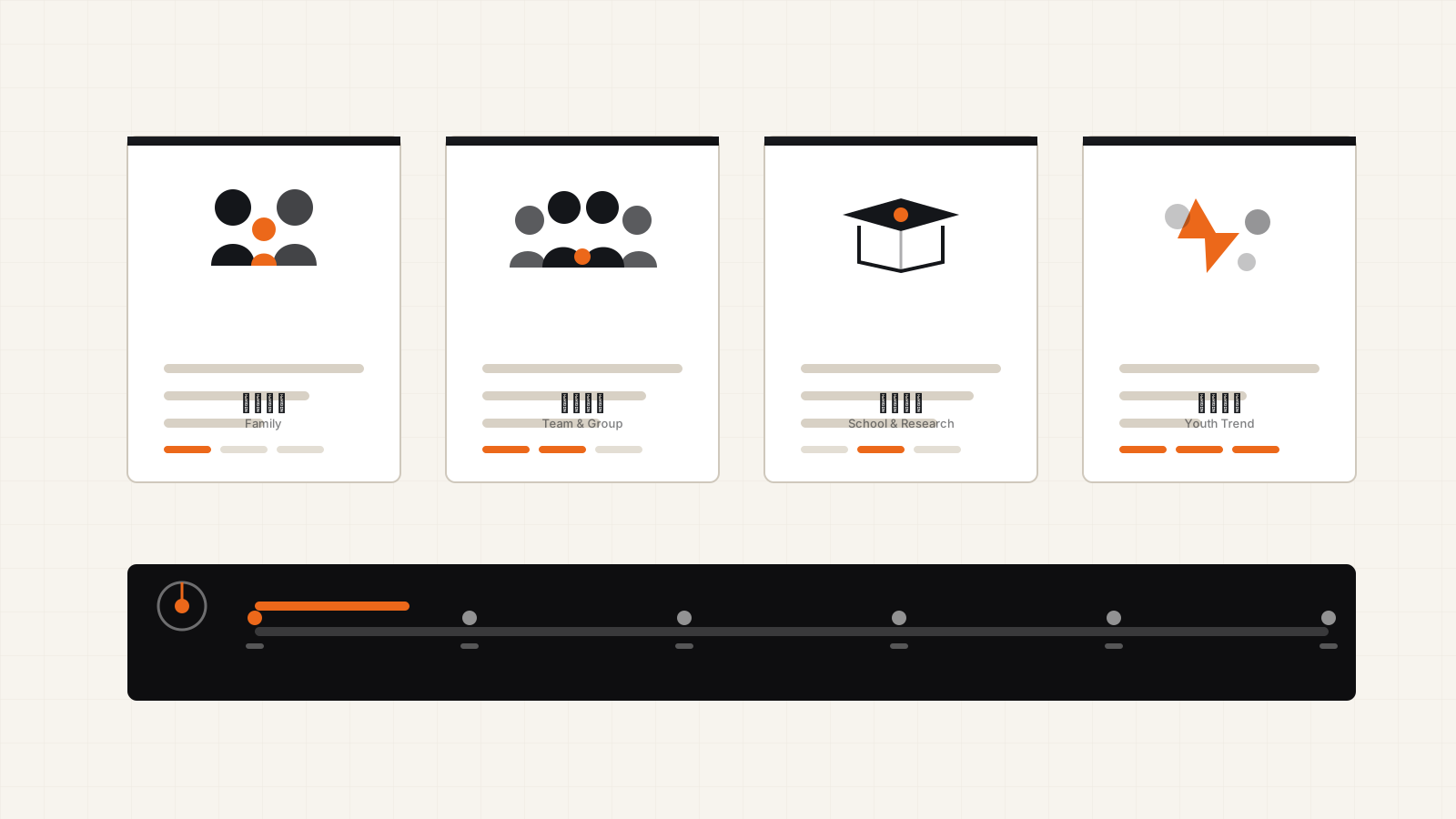
The most common mistake in category mix is the owner configuring to personal preference: a coffee lover fills the floor with coffee machines, someone who finds claw machines tacky buys none. The right method is to configure to the traffic structure. The test is simple — in the first month after opening, measure three numbers: **share of family visits** (which sets the weight of FOOD and RETAIL), **average dwell time** (the longer people stay, the greater the FOOD need), and **share of group bookings** (group spending is concentrated in time, so it needs faster throughput).
A reasonable starter mix: one or two PLAY units in the waiting area, a photo booth or retail printing unit at the entrance and exit, one coffee machine and one ice cream machine in the rest area, and claw machines in dead corners sized to the space. That covers the four moments of waiting, playing, eating and taking something away. Run it for a month, then adjust on data — any unit that sits idle day after day gets a different category, any position that queues gets another unit.
The mix also has to consider **cross-promotion**. Photo prints can carry a voucher that brings customers back; tokens won from a claw machine can interchange with ticket points; coffee receipts can carry a discount code for the PLAY line. Terminals are not isolated machines but a small-spend journey — when you design the mix, think about how many times a customer will reach for their phone between entering and leaving, not about which machines you happen to own.
- Configure to three traffic metrics: family share / dwell time / group share
- Starter mix: PLAY in waiting, RETAIL at the exit, FOOD in rest areas, claw machines in dead corners
- Cross-promote between terminals: vouchers, tokens, points, discount codes on receipts
Revenue per square metre: every terminal must pass three gates
Do not decide whether a terminal earns its place by feel; run it through three gates. **Gate one: the cost of the position** — what else could this spot do if it were not holding a terminal? A dead corner that cannot take main equipment has almost zero opportunity cost, while a terminal occupying prime circulation carries a very high one; the same machine has completely different economics in two positions. **Gate two: per-unit output** — judge only after a full month. New machines enjoy a novelty dividend, so the first week’s data is not evidence. Track scan counts, completed transactions, average ticket and the distribution across time slots.
**Gate three: operating cost** — the labour time for consumables, cleaning, fault handling and restocking has to be priced in. The FOOD line costs clearly more to run than PLAY: ingredients expire, machines need daily cleaning, and serving takes time. RETAIL sits between the two, with photo paper and print consumables to replenish on a schedule. PLAY is the lightest, mainly restocking and collecting tokens — unless you have not connected mobile payment.
Combine the three gates into a single judgement: **does this machine in this position, after operating costs, out-earn any other use of the position?** If not, change the category before you change the position — do not leave an unprofitable machine standing there occupying space. The calculation does not need to be precise to the last cent, but the direction has to be right: a terminal is a highly replaceable asset, and that is exactly where it is more flexible than main equipment.
- Three gates: opportunity cost of the position / per-unit output after a full month / operating cost
- FOOD carries the highest operating cost (expiry plus daily cleaning), PLAY the lightest
- If it fails, change category first, then position; terminals are highly replaceable
Unattended operation needs two prerequisites: smooth payment and remote monitoring
These are called unattended terminals, but unattended operation rests on two hard prerequisites. The first is **smooth payment**: no step from scanning the code to receiving the token or the product may tempt a customer to give up — the QR code has to be large, the network stable, the change mechanism (where it exists) reliable. Mobile payment has reduced the share of coin-operated terminals, but venues still serve younger customers, so keeping a small-denomination cash channel has value. Whatever the payment method, the failure rate has to be pushed close to zero, because every failed payment is a bad review.
The second is **remote monitoring**: stock, stock-outs, faults and revenue for every terminal must be visible remotely. All Ant terminals are developed in-house with remote monitoring support, and that is exactly the value — operators do not need to walk the floor every day; they open the back office and see which machine is out of stock, which has jammed, which shows abnormal revenue. A terminal fleet without remote monitoring simply transfers the cost of manual inspection onto the operator, and the more machines you add the less manageable it becomes.
Beyond the two prerequisites there is one recommendation: **write fault response into your process**. Small faults such as a coin jam or a product that will not dispense rarely produce a complaint — customers simply post about it. Set a response time for terminal faults (same-day handling, for example), assign an owner by name, and put “which machine reported which fault” on the daily stand-up agenda. Reputation management for unattended terminals depends on response speed, not on a support hotline.
- Zero abandonment across the payment flow: large code, stable network, near-zero failure rate
- Remote monitoring: stock, stock-outs, faults and revenue all visible in the back office
- Write fault response into the process: same-day handling, reviewed at the daily stand-up
Daily cleaning for food terminals: hygiene is the lifeline of the FOOD line
The FOOD line (ice cream machines, coffee machines, burger machines) is far more operationally demanding than any other terminal, and the core reason is **hygiene**. Once a food terminal has a hygiene problem — milk residue, spent coffee grounds, expired ingredients — a customer photographs it and posts it, and the damage to the venue’s reputation is far greater than the money that machine earns. Daily cleaning is not optional; it is the condition on which the FOOD line is allowed to keep trading.
Turn the daily routine into three fixed sheets: **during trading** (wipe the dispenser and counter every two hours, check ingredient levels and expiry dates), **after closing** (flush the lines as required by the model, dispose of waste, log the restocking plan), and **weekly** (deep clean plus inspection of filters and seals). Keep the sheets beside the machine or in the duty log and sign them — not to satisfy an inspection, but so the incoming shift knows what the previous shift did.
Restocking has its own discipline: rotate ingredients first in, first out by expiry; restock outside peak hours, because a machine that is down for restocking loses sales; and keep best-selling items never out of stock. The most expensive state for a food terminal is not slow sales but having nothing left when someone wants to buy. These details explain why the same machine can produce very different results in two different venues.
- Three daily sheets: wiping during trading / cleaning after closing / weekly deep clean
- Sign and keep records so every shift is traceable
- First in first out, restock outside peaks, never let a best seller run out
Integration with the management system: points thread terminals into the venue
A terminal run on its own is a vending machine; a terminal connected to the venue management system is part of the venue. The Venue Smart Management System (¥58,000) covers five modules — ticketing, membership, tournaments, loyalty points and analytics — and terminals can integrate in three main ways. **Points interchange**: points won on main equipment can be spent at terminals, and terminal spending also accrues points, so customers feel the urgency of points about to expire and terminals gain a steady reason to be used.
**Member recognition**: scanning the code identifies the member, and terminal spending is recorded to their profile — which member buys coffee regularly, which one loves claw machines, all of it sits in the membership system; repeat-visit benefits, birthday vouchers and tier discounts can be redeemed directly at the terminal. **Data return**: time-slot distribution, category preference and repeat rate flow into the analytics module and are read alongside ticket and main-equipment spending — only then can you say exactly how much a customer spent beyond the ticket, and only then does your secondary-spend structure have a real set of books.
Integration is inexpensive to set up and its value compounds: after a quarter you can answer which customer segment spends most at terminals, which time slots waste terminal capacity, and which voucher would steer the weekend queue towards the machines. Without data these questions can only be guessed at; with data they are a few queries.
- Points interchange: main-equipment points spendable at terminals, creating urgency
- Member recognition: spending recorded to profiles, vouchers and discounts redeemed at the terminal
- Data return: read alongside ticket and main-equipment spend to see the secondary-spend structure
Placement density: how many machines count as saturated
You can add terminals, but not indefinitely. Three signals tell you density has reached saturation. **Diluted per-unit output**: after adding a machine, the output of the older units at the same position drops noticeably — the traffic there cannot feed that many machines. **Restocking and inspection load**: when the daily time spent restocking and checking terminals exceeds one full-time employee’s capacity while terminal revenue cannot fund that labour, you are past the saturation point. **Visual clutter**: a waiting area ringed with machines leaves customers nowhere to stand, which degrades the experience of the main equipment.
A robust rhythm is to **set a quota by position**: one or two units in waiting areas, one or two at the entrance and exit, two or three in rest areas, a handful in dead corners, with total terminal count held at roughly one third of the main equipment count as a starting point. That ratio is not a hard standard, but it keeps terminals in the role of filling gaps rather than taking the lead. Once a quarter has run steadily, let the data decide whether to add or remove.
The direction of adjustment matters too: **rather fewer than too many**. One machine too few costs you that machine’s output; one unprofitable machine too many costs you the position, the restocking labour and the look of the space. The advantage of a terminal fleet is flexibility — when you find saturation, pulling a unit and repositioning it costs far less than adjusting main equipment, and that flexibility should be spent on testing quickly and swapping quickly, not on filling the floor in one go.
- Three saturation signals: older units diluted / inspection load exceeds labour / visual clutter
- Starting quotas: 1–2 in waiting areas, 1–2 at exits, 2–3 in rest areas
- Rather fewer than too many; use the flexibility to test and swap quickly
Common reasons terminals lose money
When you review terminals that do not make money, the causes cluster tightly. **First, the wrong position**: the machine stands where customers cannot see it or will not stop, and no machine is good enough to overcome that. **Second, the wrong category**: adult-oriented terminals in a family venue, food machines stacked in a youth venue — a mismatch between audience and category will always convert poorly. **Third, nobody looks after it**: stock-outs are not filled, coin jams are not fixed, dirt is not wiped, and a customer who has been let down once will not touch it again. Terminals rarely die by breaking; they die of neglect.
**Fourth, isolated data**: terminal revenue never reaches the system, so the owner knows only that “terminals bring in something” and cannot say which machine earns in which time slot or which position loses money; every adjustment is made on impression. **Fifth, filling the floor in one go**: a dozen machines installed on opening day, with every position and category fixed before any data exists, and afterwards a reluctance to adjust because of sunk cost — so the wrong choices simply continue.
Those five causes map to five actions: positions follow traffic, categories follow the customer base, maintenance goes into the process, data goes into the system, and rollout goes in phases. Do all five and the terminal fleet becomes the best marginal-return asset in the venue — the floor area already exists, the customers already exist, and all that is missing is the layout method that connects the two.
- Five causes: wrong position / wrong category / no owner / isolated data / everything at once
- Five matching actions: positions to traffic, categories to audience, maintenance to process, data to system, rollout in phases
- Terminals are the best marginal-return gap-filling asset; method matters more than the machine
Phased rollout: prove one position, then replicate
Roll terminals out in three phases. **Phase one (from opening day)**: one group of PLAY units in the waiting area and one group of RETAIL units at the exit, covering the two highest-converting positions and proving that payment flow and remote monitoring work — both must be running smoothly before traffic arrives. **Phase two (one to two months after opening)**: bring the FOOD line online in rest areas, and start the daily cleaning routine and restocking rota at the same time. FOOD is operationally demanding, so launch it once the traffic structure is visible and avoid stocking blindly.
**Phase three (data-driven adjustment)**: after a full quarter, do a complete round of adjustment on per-unit output and position data — change categories, move positions, add or trim units. This phase also connects terminals to the loyalty points and membership modules of the venue management system, completing the transition from machines to system. Every phase has an explicit validation target rather than “the money is there, so fill the floor”.
One last thing: terminals also age and iterate. Food machine models are updated, photo booth templates go out of fashion, claw machine prizes need rotating — put terminals into the same annual inventory rhythm as main equipment, and use output data to decide whether to keep, replace or relocate each unit. The greatest advantage of a terminal fleet is flexibility, and the way to keep that advantage working is to re-examine every position against the data on a regular basis.
- Phase one: PLAY in waiting areas plus RETAIL at exits; prove payment and monitoring first
- Phase two: FOOD in rest areas plus the cleaning routine, once traffic structure is clear
- Phase three: adjust on data, connect points and membership, make quarterly inventory routine
FAQ
What size of venue is suitable for self-service terminals?
Size is not the deciding factor; positions are. As long as there is a waiting area, entrance and exit circulation or a dead corner that cannot take main equipment, terminals are worth installing. A 300㎡ venue and a 3,000㎡ venue can both do it — only the number differs. Start with the quota of 1–2 units in waiting areas, 1–2 at exits and 2–3 in rest areas, then add or remove on data.
Which terminal categories are the most stable?
The PLAY line (claw machines, gashapon) is the lightest to operate and has the highest repeat spend, making it the stable base for most venues. FOOD carries a higher ticket but demands more on hygiene and restocking. RETAIL (photo booths, printing) converts best on the exit route. There is no “best” category, only a category that matches your audience: family venues lean towards FOOD and RETAIL, youth audiences towards PLAY and photo booths.
Should terminals go at the entrance or inside the venue?
They play different roles. The entrance suits the RETAIL line and exposure-led equipment — customers photograph and print on their way out — while waiting and rest areas inside suit PLAY and FOOD. Entrance circulation can carry traffic-attracting terminals, but take care not to block the main walkway. The principle is to follow the moments when customers have idle time, not simply to divide inside from outside.
How much can one terminal take in a day?
It depends on the traffic at the position, the category and the quality of operation, and the spread can reach several times over — any revenue figure quoted without the position behind it is meaningless. The right approach: run for a full month after launch, then use scan counts, completed transactions, average ticket and time-slot distribution to build your own venue’s baseline, and judge each machine against that baseline.
How should hygiene for food terminals be managed?
Fix it into three daily sheets: during trading, wipe the dispenser and counter every two hours and check ingredient expiry dates; after closing, flush the lines and dispose of waste as the model requires; weekly, deep clean and inspect wear parts. Keep the sheets beside the machine, sign them and make each shift traceable. One hygiene incident at a food terminal damages reputation far beyond the value of the machine itself.
How do terminals connect to the ticketing and membership system?
Through the Venue Smart Management System (five modules: ticketing, membership, tournaments, loyalty points and analytics): points interchange, so points from main equipment can be spent at terminals; member recognition, so spending is recorded to the profile and vouchers are redeemed at the terminal; and data return, so terminal time-slot and category data enter the analytics module and are read together with ticket spending to reveal the secondary-spend structure.
Do I need a dedicated person to manage the terminals?
Not a dedicated role, but a named owner is essential. Remote monitoring covers stock, faults and revenue, and routine inspection and restocking can be shared by existing staff; the key is to write the fault response time (same-day handling) and the restocking rota into the process and review them at the daily stand-up. The FOOD line has the heaviest cleaning and restocking load, so schedule dedicated time for it.
Should I fill the floor at opening or phase it?
Phasing is strongly recommended. Phase one covers only PLAY in the waiting area and RETAIL at the exit, proving payment and remote monitoring first; phase two adds FOOD and starts the daily cleaning routine; phase three does a full data-led adjustment and connects loyalty points and membership. Filling the floor in one go usually means positions fixed by feel and categories chosen by preference, followed by a refusal to adjust because of sunk cost.
Should I buy the terminals or work on revenue share?
Both models exist and the choice depends on operating capability. Buying directly from the manufacturer keeps all revenue with the venue and gives full control over models and positions, with manageable cost when combined with remote monitoring; revenue share lowers the upfront outlay but gives away income over the long term. Venues with stable operations staff mostly buy, and put terminals into the annual asset inventory to decide on retention or replacement by data.
RELATED
- Digital Sports Venue Operations & Repeat-Visit Playbook
- Digital Sports Venue Space Design and Circulation Planning Guide
- Indoor Digital Sports Venue Investment & Opening Guide
- Digital Sports Venue Equipment Refresh and Iteration Planning Guide
- Digital Sports Venue Marketing & Local Customer Acquisition Guide
- Digital Sports Venue Safety & Maintenance Management Guide
- Arcade & FEC Digital Transformation Guide
CONTACT
Send us your venue floor plan
Share your venue area, customer structure and waiting-area layout, and we will give you reference recommendations on terminal category mix, position quotas and how to connect the management system.
2026-11-10